Orders lost between floor and kitchen
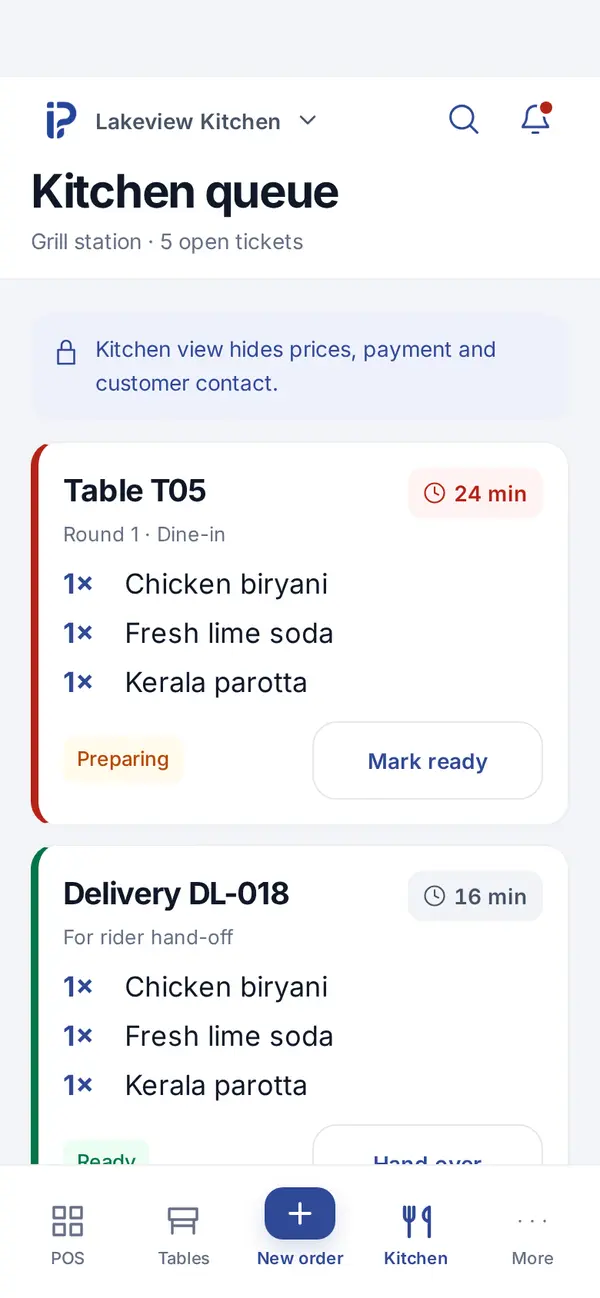
When the rush starts, shouted or handwritten orders go missing. inPos sends each round to its station as a kitchen ticket, and a new round never disturbs what the kitchen has already accepted.

Counter, dine-in, parcel and delivery in one flow: tables with running orders, kitchen tickets by station and a clean day close, for restaurants and cafés in India and the GCC.
When the rush starts, shouted or handwritten orders go missing. inPos sends each round to its station as a kitchen ticket, and a new round never disturbs what the kitchen has already accepted.
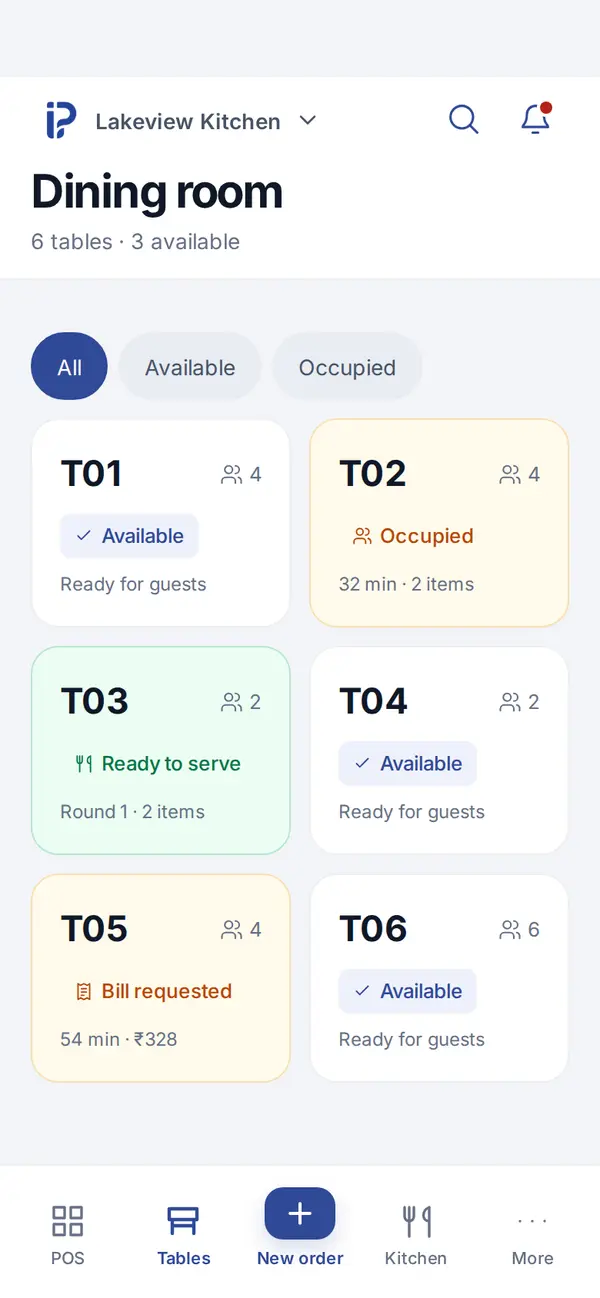
Running orders stay on the table until you settle, so the bill is every round that went to the kitchen, not what a waiter remembers.
Cash shifts and day close show what each counter took by payment mode, so closing becomes a quick check instead of a recount.
Compare these situations with the work your team handles now.
Keep the table open while guests add food or drinks. The new round goes to the relevant kitchen station without replacing the ticket already being prepared. When guests are ready, settle the complete running order.
Take it as a parcel order so it does not occupy a dining table. Staff can see its kitchen ticket alongside dine-in work and hand over the right order when it is ready.
Dispatch the delivery order to a rider and keep its delivery progress separate from its payment status. The counter can still see whether money is due when the order is marked delivered.
Tables, kitchen tickets and delivery in one flow, with offers and cash shifts at the counter.
Also included: billing, stock, GST and UAE VAT, staff roles and reports from the inPos core. See all features.
Bring your actual products, processes and devices. We can walk through these checks together.
Ask us to route a mixed order to your kitchen stations, then add a second round to the same table.
Tell us the printer model and the device you use at the counter so we can check ticket and receipt printing together.
Show us how you count cash and handle UPI or card today; compare that process with the shift and payment-mode reports.
Yes. Each round goes to its station as a kitchen ticket with items, notes and elapsed time, shown on the kitchen screen and printable on a thermal printer from your device. Tell us your printer model in the demo and we will check it.
Yes. Turn on only the service modes you run. Delivery orders can be dispatched to riders, and delivery status is kept separate from payment.
Yes. Time-based offers are part of the restaurant workspace, so an offer price only applies during the hours you set.
Set your GST registration once. Each bill shows the CGST and SGST or IGST split, and sales reports help you prepare your returns. In the UAE, VAT works the same way.
inPos tells you clearly that nothing was sent, so you can retry once you are back online. Retries reuse the same request, so a kitchen ticket or payment is never recorded twice.
Tell us how you work today. We'll show you the matching workspace in 15 minutes.